Human control
A trained operator controls movement and maintains direct responsibility while the robot is active.
Safety and venue review
Before arrival, we review the floor, route, power, weather backup, crowd boundary, loading access, and venue requirements.
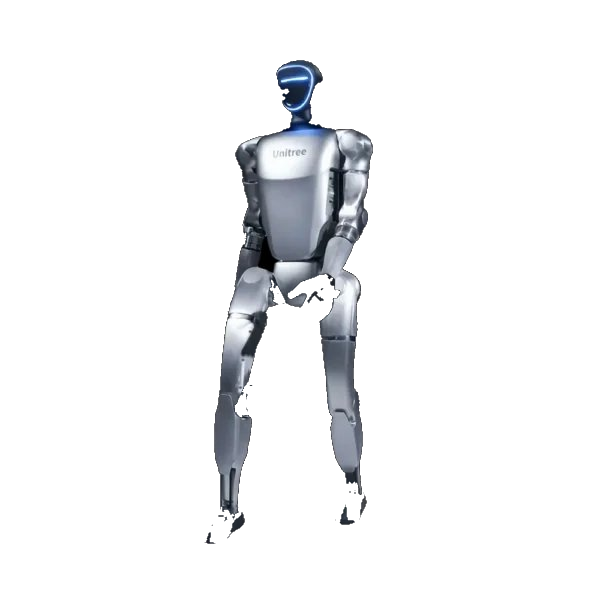
Operating controls
A venue or client can stop the robot at any time. The operator stays inside the agreed area and never hands the controls to guests.
A trained operator controls movement and maintains direct responsibility while the robot is active.
The route and working position preserve safe clearance, exits, access, and room for the operator.
The operator, client lead, and venue lead know who can call a stop and how the robot is halted.
Venue checklist
A photo, floor plan, exhibitor manual, and access schedule resolve most issues before the robot leaves Miami.
Capability limits
A humanoid robot should not be assigned work that depends on unsupervised judgment, reliable grasping, payment handling, wet-weather operation, or safety-critical decision making.
A RoboticsLive operator remains present and controls movement.
Do not plan service around carrying drinks, handing products to guests, or manipulating unknown objects.
Sensors do not automatically create permission to record. We decide data handling with the client before the job.
Insurance and venue paperwork
Certificates, limits, endorsements, vendor forms, screening requirements, and deadlines vary by venue.
Provide the venue’s insurance limits, certificate wording, additional-insured request, forms, screening requirements, and deadlines. We will tell you what we can provide before you commit.
Start here
Include the robot use, date, venue, floor plan or exhibitor manual, insurance requirements, and document deadline.
Questions
Yes for RoboticsLive public deployments. The assigned operator controls movement, maintains the operating boundary, manages batteries, and can stop the robot immediately.
Children require close adult supervision and a conservative operating plan. The robot should remain controlled, separated while moving, and never left alone with guests.
The G1 and R1 should not be treated as rainproof. Outdoor work requires dry conditions, a firm surface, and an approved covered backup area.
Yes. Send the required limits, certificate language, additional-insured request, and deadline. RoboticsLive must confirm the available documentation for the specific project before contracting.
The robots use cameras and microphones for navigation and conversation. Most live sensor data is processed and discarded. Recording, retention, access, and deletion are agreed with the client; RoboticsLive does not use face recognition.