Product guide
Answers from your product list, prices, offers, and FAQs, then sends a ready customer to staff.
Stores · Hotels · Restaurants · Venues
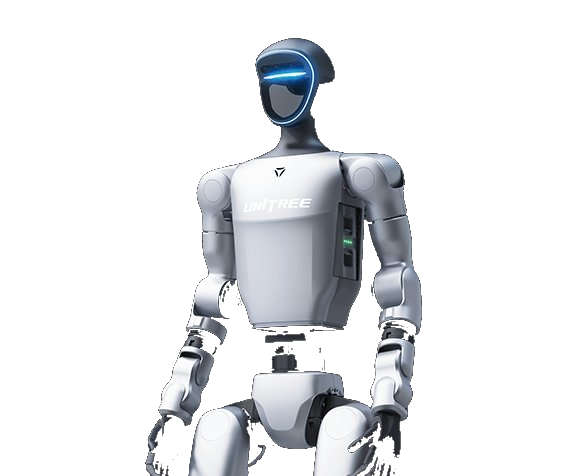
The robot can greet, answer common questions, explain products and specials, give directions, and create photo moments. Our operator stays with it for every visit.
Where to start
Run one visit first, see how customers use it, then decide whether a weekly or seasonal program makes sense.
Answers from your product list, prices, offers, and FAQs, then sends a ready customer to staff.
Greeting, directions, programmed venue information, and managed photo interactions.
A recurring operating window with a planned position, route, content set, and operator.
First visit
Before the date, we agree on the job, hours, location, content, staff handoff, and the numbers worth tracking.
Select one customer interaction, one location, and one person on your team to own it.
Send products, prices, offers, FAQs, directions, and the questions the robot should hand to staff.
Our operator sets up, works the agreed hours, and records operating notes.
Review the measures and choose to expand, change, buy, or stop.
What stays with your staff
The robot handles the first conversation and draws people in. Your staff take over when a guest is ready to buy or needs help beyond the loaded information.
Recurring program
A weekly or seasonal program brings back the same robot configuration and, when staffing allows, the same crew. We update products, prices, specials, and FAQs between visits.
Start here
Describe the location, customer interaction, operating schedule, and the result you need to measure.
Questions
No. Our operator stays with the robot. Start with one repeatable customer-facing job, such as greeting, answering common questions, or directing guests.
Choose measures tied to the job: qualified interactions, questions answered, dwell time, staff handoffs, content captured, operating uptime, or another agreed business metric.
Not in the standard service. Your staff keep payments, cash, card readers, stock, food, and physical product handling.
No for the core conversation. RoboticsLiveOS can answer from your loaded products, prices, offers, and FAQs without venue Wi-Fi.
Yes. Recurring schedules are priced as one program, normally with the same crew each week. The per-visit rate can be lower than booking each date separately.
We review operating notes and agreed measures. The next decision may be another pilot, a recurring managed deployment, a robot purchase, or stopping the project.